Stop Wasting Hours and Automate Your SEO Reports Already



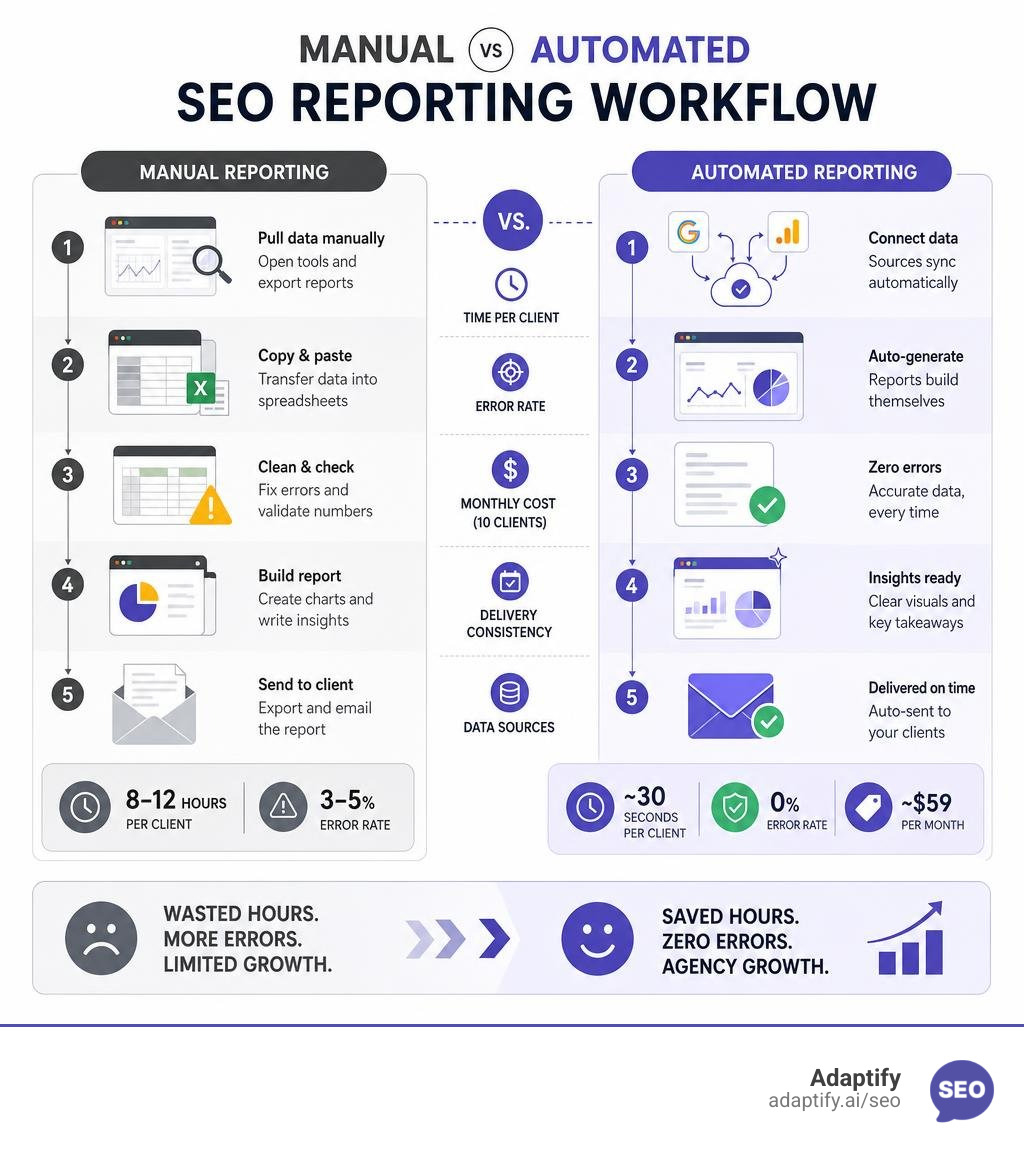
Automated SEO reports are reports generated by software that pulls live data from sources like Google Search Console and GA4, then formats, analyzes, and delivers that data automatically — no manual copying, no spreadsheets, no missed deadlines.
Here is what you need to know at a glance:
| Manual Reporting | Automated Reporting | |
|---|---|---|
| Time per client | 8-12 hours/month | ~30 seconds |
| Error rate | 3-5% | 0% |
| Monthly cost (10 clients) | $6,000+ in labor | ~$59/month |
| Delivery consistency | Inconsistent | 100% on schedule |
| Data sources | Copied manually | Connected via API |
Picture this: it is the last week of the month. You have ten clients. Each one needs a report. You open Google Analytics, filter by organic traffic, copy the numbers into a spreadsheet, switch tabs to Google Search Console, repeat. Two hours later you are still on client three, and you have just noticed last month's numbers are in the wrong column.
This is the reality for most agencies right now. Manual SEO reporting does not just waste time — it introduces errors that erode client trust, and it caps how many clients you can realistically serve. Research shows agencies spend 80 to 120 hours every month on manual reporting for just ten clients. That is the equivalent of two part-time employees doing nothing but copy-pasting numbers.
The good news? There is a better way — and it does not require a developer or a complex setup.
I am Hansjan Kamerling, a product designer and marketing consultant at Adaptify AI, with experience building data-driven SaaS platforms including a 40,000-user analytics product with custom-trained AI models — experience that directly shapes how I think about automated SEO reports and scalable agency workflows. In this guide, I will walk you through everything you need to know to stop wasting hours on manual reporting and start delivering consistent, professional reports on autopilot.
If you want to grow your agency in July 2026, you cannot afford to have your best strategists locked in spreadsheet jail. Transitioning to automated SEO reports is not just about saving a few minutes here and there; it is a fundamental shift in how your agency protects its profit margins and retains its clients.
When you automate your reporting, you instantly unlock two major advantages:
Furthermore, robust white-label branding options allow you to present these reports as your own proprietary work. Your clients get beautiful, easy-to-read documents complete with your agency's logo and color palette, which reinforces your authority.
To understand how automation fits into a broader modern search strategy, check out our guide on Beyond Manual: What is SEO Automation and How Can It Help You. If you are ready to see how this transition acts as a growth lever, read about Automated SEO Reporting: The Secret Weapon for Agencies.
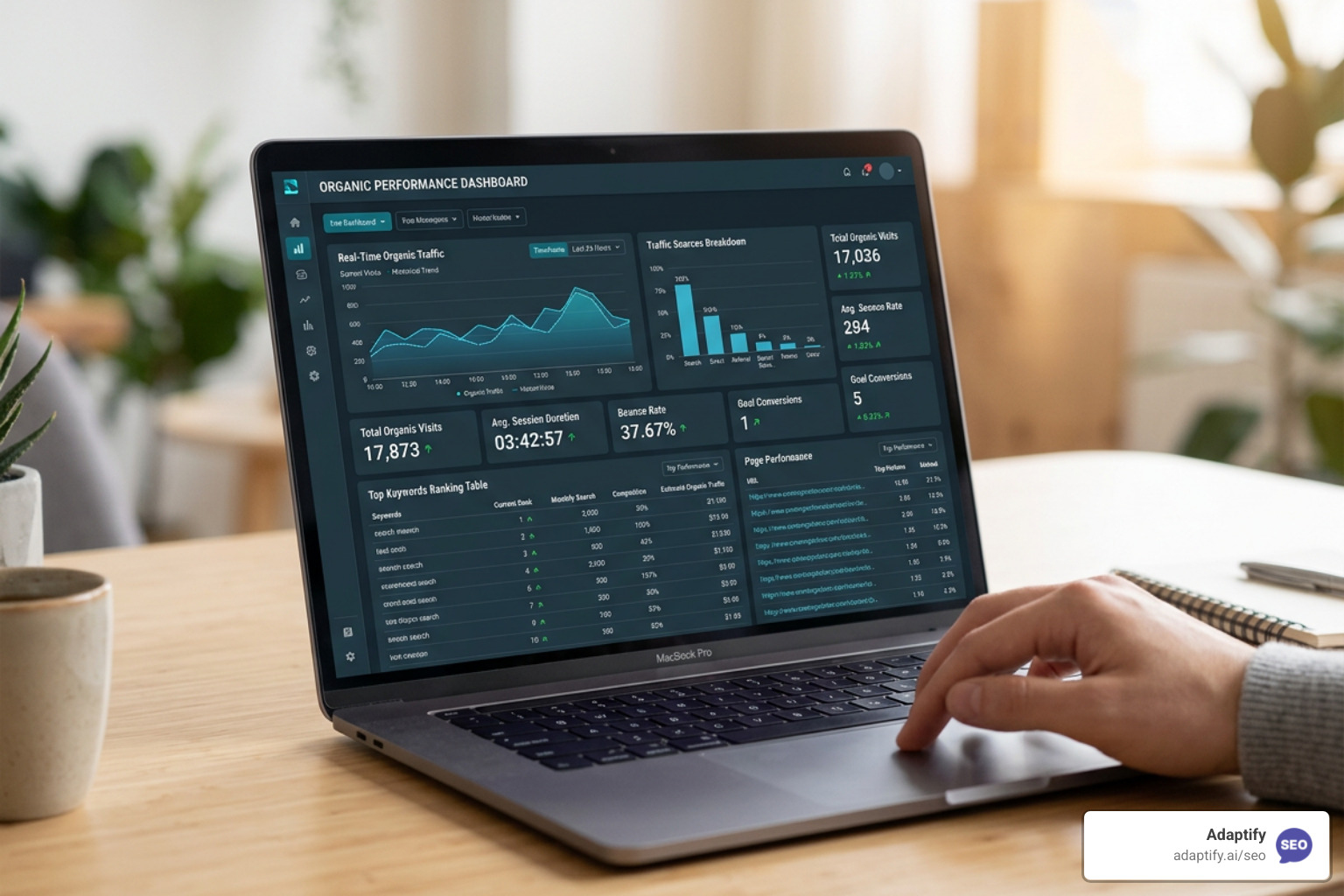
At its core, an automated SEO report replaces manual data extraction with direct API integrations. Instead of a human logging into multiple platforms, exporting CSV files, and formatting tables, an automated tool connects directly to your data sources.
These tools use secure APIs (Application Programming Interfaces) to pull live data instantly. For example, rather than using a static Google Slides deck or building complex Looker Studio dashboards that frequently break when Google updates its API schemas, dedicated automated report builders maintain these connections for you. They pull the metrics, arrange them into pre-designed widgets, and compile them into clean PDF or interactive web formats on a set schedule.
This continuous data flow ensures that your reports are always accurate and ready to send. To learn more about how to offload these repetitive tasks, read our deep dive on Beyond Manual: Unlocking Efficiency with Automated SEO Tasks and discover how automated audits work in Unlock Your Site's Potential: Automated SEO Analysis Explained.
A great report does not overwhelm the client with hundreds of irrelevant data points. It should focus on the metrics that directly tie back to business growth. I recommend structuring your reports to cover these core pillars:
To build a reporting framework that keeps clients engaged, read Reporting Reimagined: How to Automate Your SEO Insights and learn how to structure your tracking in How to Set Up Automated SEO Monitoring for Success.
To build a complete picture of your SEO performance, your reporting tool needs to integrate seamlessly with the platforms where your data lives:
If you are a developer or an advanced AI user looking to build custom automated workflows directly within your development environment, you can use tools like GenieSeo — Google Search Console + GA4 MCP for Claude & Cursor to connect your live search data straight to your AI assistants.
Let’s look at the cold, hard numbers. Many agency owners believe that software is an unnecessary expense when they already pay for team labor. However, the math proves that manual reporting is incredibly expensive.
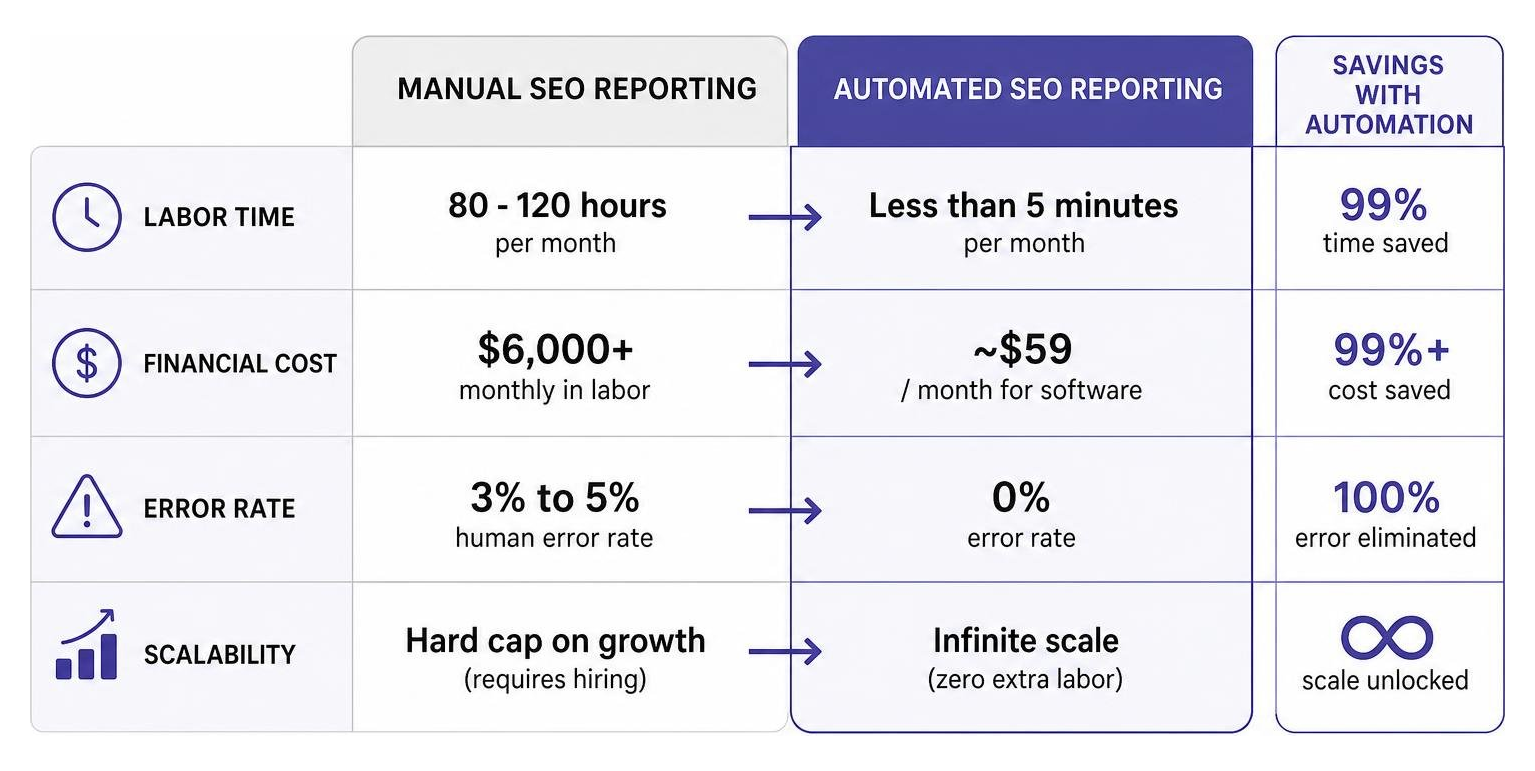
Consider this comparison for an agency managing 10 clients:
| Expense Category | Manual Reporting Workflow | Automated Reporting Workflow |
|---|---|---|
| Labor Time | 80 - 120 hours per month | Less than 5 minutes per month |
| Financial Cost | $6,000+ monthly in labor | ~$59 / month for software |
| Error Rate | 3% to 5% human error rate | 0% error rate |
| Scalability | Hard cap on growth (requires hiring) | Infinite scale (zero extra labor) |
When you rely on manual reporting, you are essentially paying a premium for human errors. A single misplaced decimal or an outdated metric can damage your credibility and cost you a client. By switching to automation, you save thousands of dollars every month that can be reinvested into growing your business.
For an in-depth breakdown of these hidden expenses, read Hidden Labor Costs: Manual SEO vs Automated Platforms.
Data without context is just noise. Your clients do not just want to see a chart showing that impressions went up; they want to know why they went up and what you plan to do next.
This is where AI-powered insights change the game. Instead of sending static data exports, modern reporting tools use advanced AI to analyze the data and generate clear, natural-language summaries. For example, if your traffic dropped, the AI can cross-reference your GSC data, identify that a specific core algorithm update rolled out, note which keywords lost positions, and draft an executive summary explaining the exact recovery steps.
This level of proactive communication builds immense trust. To explore how to leverage these advanced workflows, check out Beyond the Basics: Advanced AI Strategies for SEO Success and master modern reporting with The Future is Now: Mastering Automated SEO for Better Results.

With so many tools on the market, it is easy to get overwhelmed. When evaluating software to generate your automated SEO reports, keep these best practices in mind:
Choosing the right software ensures your agency can grow smoothly. For help making your decision, read our guide on Future-Proof Your Rankings: A Guide to Scalable SEO Tools.
Stop letting manual reporting drain your agency’s time, energy, and profits. By transitioning to automated SEO reports, you protect your margins, eliminate human error, and deliver stunning, professional updates that your clients will actually look forward to reading.
At Adaptify.ai, we build automated SEO tools specifically designed to help agencies scale. From automated strategy formulation and AI-driven content creation to high-quality PR link building and gorgeous, client-ready reports, we handle the heavy lifting so you can focus on building relationships and winning new business.
Are you ready to reclaim your time and scale your agency's operations? Start Your Free Trial with Adaptify today and see how easy reporting can be.

Compare automated SEO vs manual SEO to build a hybrid workflow that scales rankings with human oversight in 2026.

Master SEO service differentiation to stand out in a crowded market and prove your agency's unique business-first value.

Stop pulling teeth for leads—partner with a dental SEO marketing agency to boost visibility and patient growth.
Join 1,000+ agencies already delivering SEO and AI visibility from a single platform without increasing their headcount.Join 1,000+ agencies already delivering SEO and AI visibility from a single platform without increasing their headcount.