
Content writer
Understand how Adaptify researches, outlines, writes, reviews, and publishes SEO articles.
Adaptify SEO Content Writer
We’ve launched a major update to the Adaptify SEO Article Writer, with 150+ features designed to help agencies create stronger SEO content at scale.
What are SEO articles?
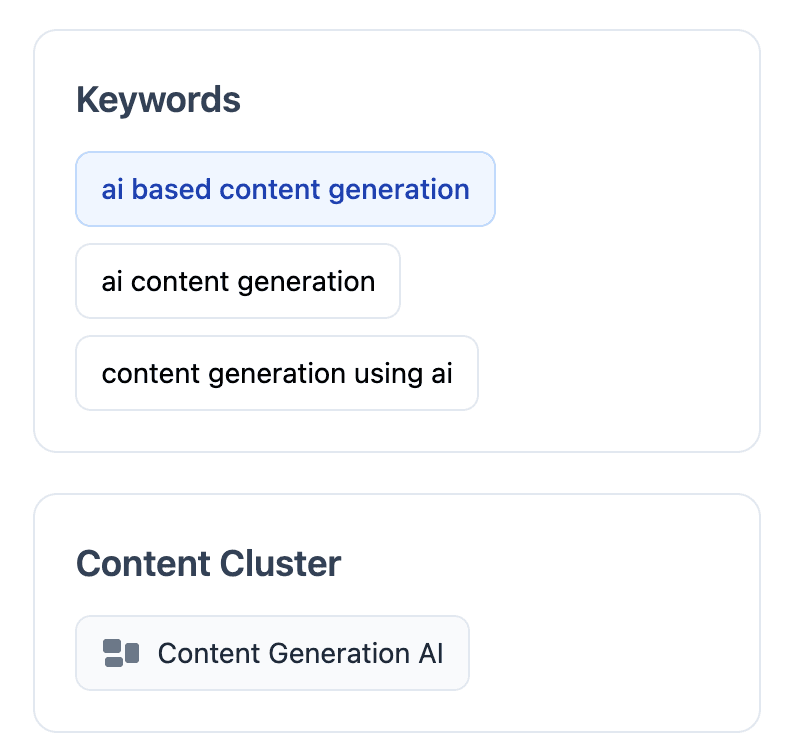
SEO articles are created from keywords. Each SEO article is written to rank for a specific primary keyword inside a keyword cluster, so the keyword is not just a label: it is the tracking and strategy context for the article.
Adaptify often finds several very similar keywords and groups them together. One keyword becomes the primary keyword for the article, while similar terms become secondary keywords. This avoids creating multiple near-duplicate articles that compete with each other.
If you disagree with how a keyword was grouped, you can unlink a secondary keyword and add it yourself manually. That lets you create a separate article for it without making the original article untrackable.
What are GEO articles?
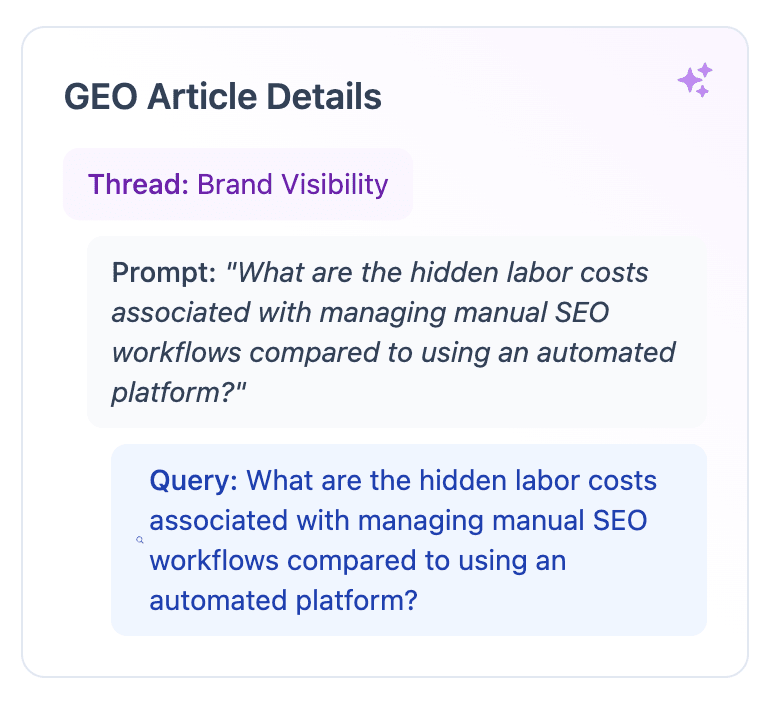
GEO articles are different from SEO articles. Instead of starting from a search keyword, they are created to help Adaptify rank the brand inside AI assistant answers.
A GEO article is connected to an AI cluster, prompt, and search. The AI cluster is the broader conversational topic, the prompt is the AI-style question Adaptify wants to perform well for, and the search is the specific user intent being answered.
Because of that, GEO articles are measured differently. They are not only trying to rank for a keyword; they are trying to provide a clear, useful answer that an AI assistant can understand, cite, and use when recommending the brand.
How The Adaptify SEO Content Writer works

Step 1: Deep Research
We scrape your website and regularly refresh this. We match article keywords with relevant pages on your website and the cluster pillar page.
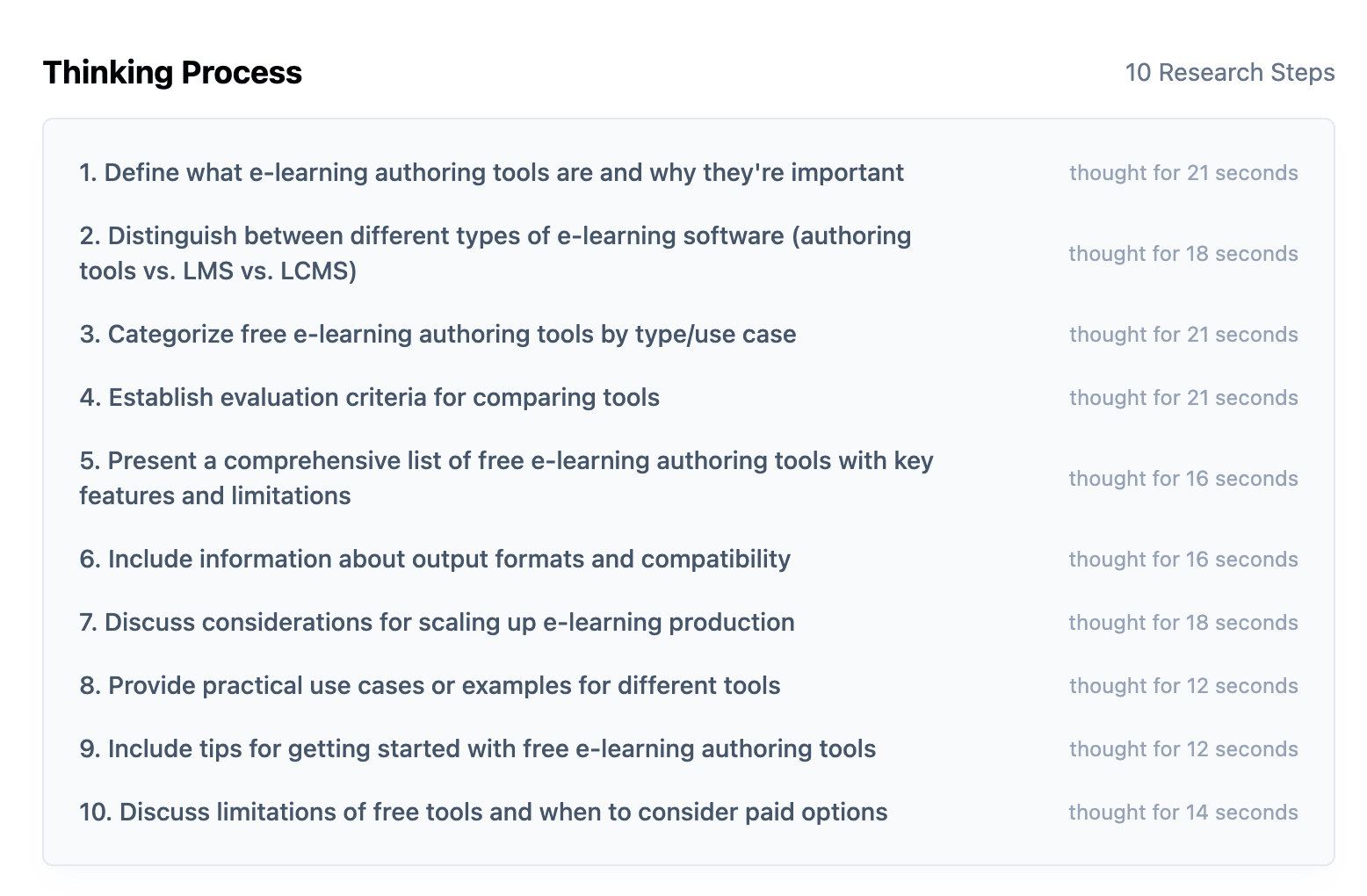
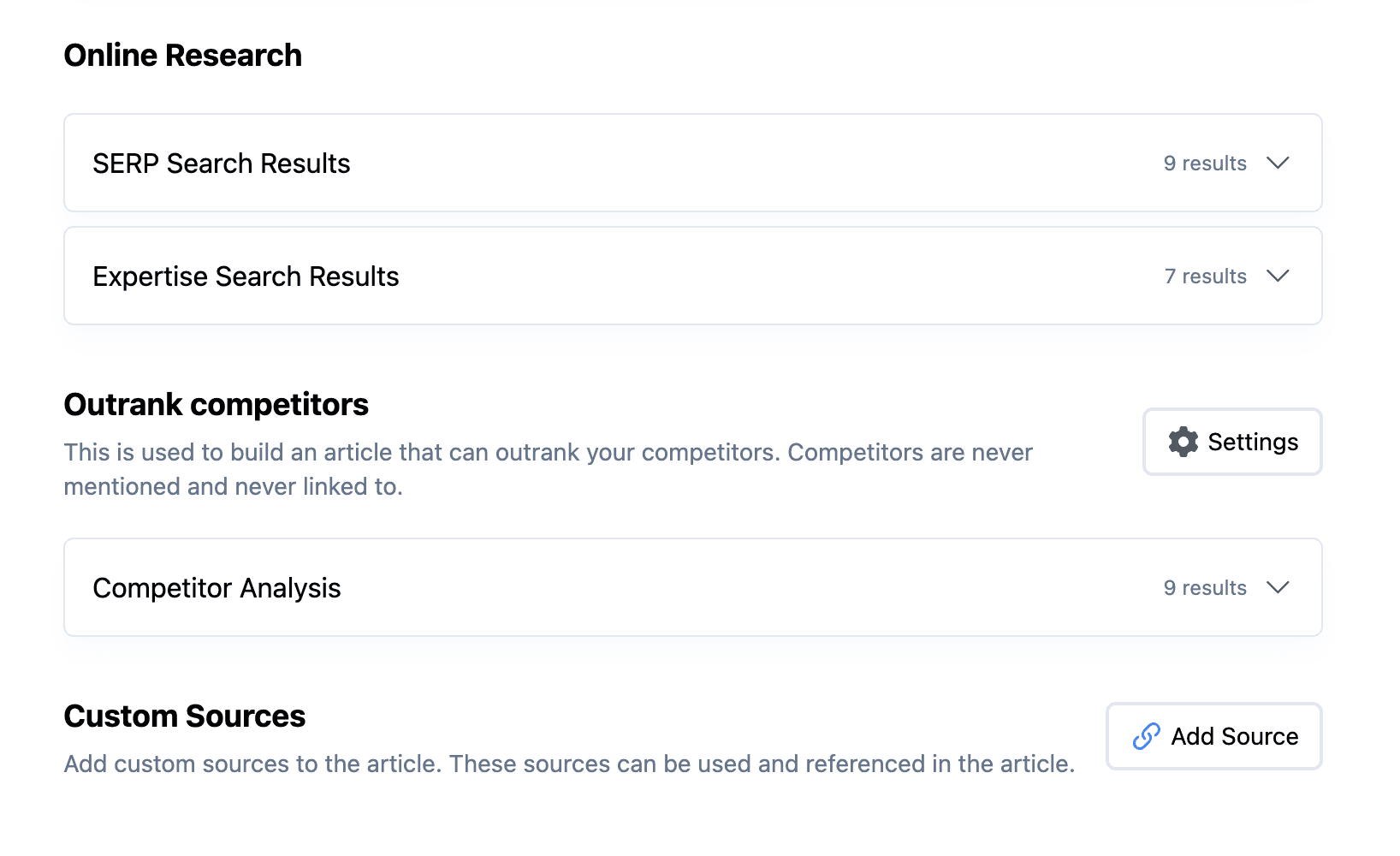
We then start multiple Deep Research sessions to understand what is ranking, what information is missing, and how the article can compete.
- Search Engine Results Page (SERP): we run 1-10 SERP searches to analyze what is currently ranking and how competitive the SERP is.
- Expertise search: we find expert information and user-generated content from sources like reviews, Reddit, and social mentions.
- Competitor search: we map how competitors are doing and add newly found competitors to the list.
- Local search: when local is enabled, we run local SERP searches for location-relevant keywords.
- Internal research: we find relevant existing website information and suggested internal links.
During research we also decide on search intent and funnel stage, which helps inform what information will rank and convert best.
Secondary / Primary Keywords
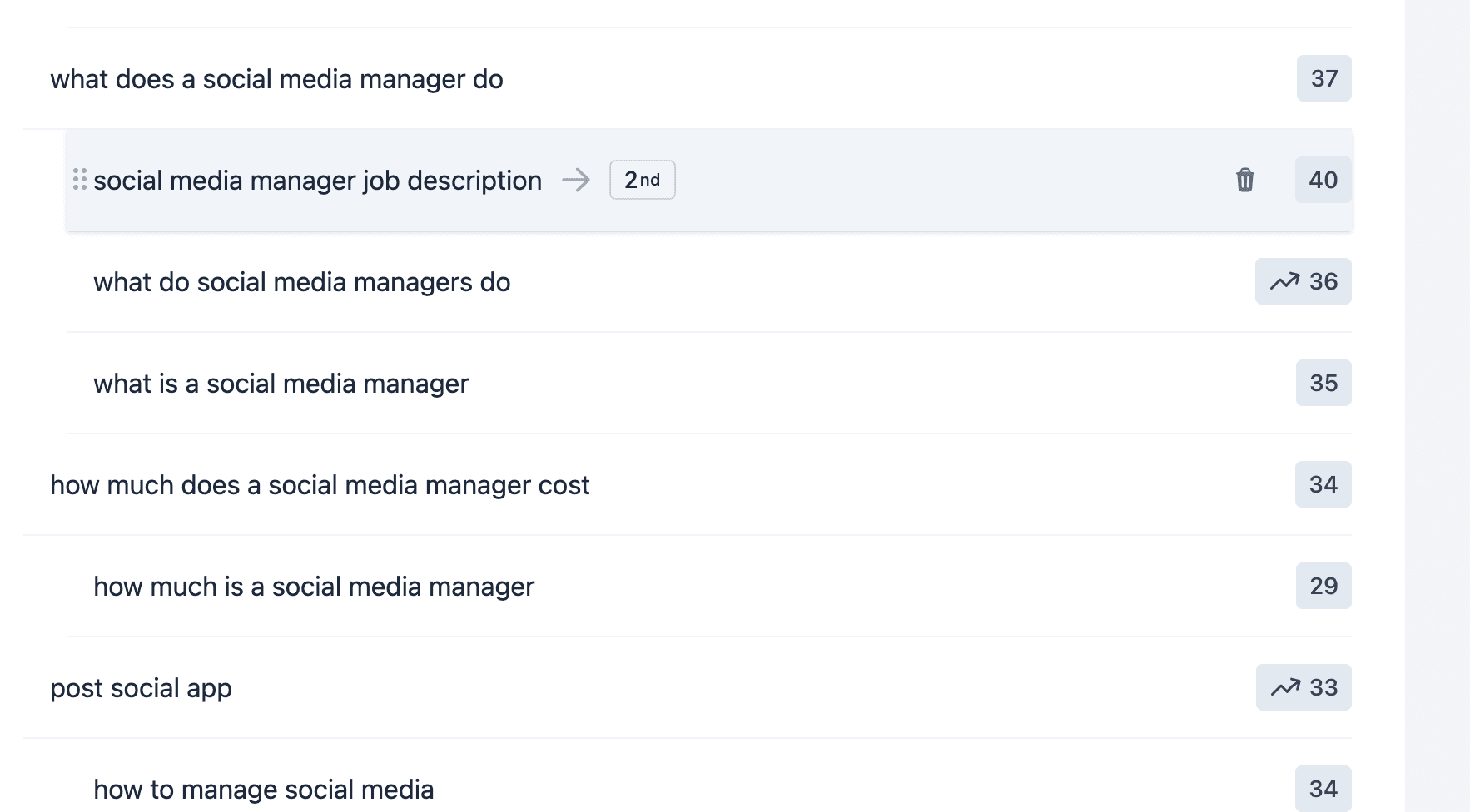
To avoid keyword cannibalization, each article covers one primary keyword. Adaptify SEO groups semantically similar keywords together using deep learning. If you want to remove secondary keywords, you can hover over them to remove them.
Step 2: Generating Article Outline
Once research is completed, Adaptify SEO creates an in-depth article outline so you can review the structure before the article is written.
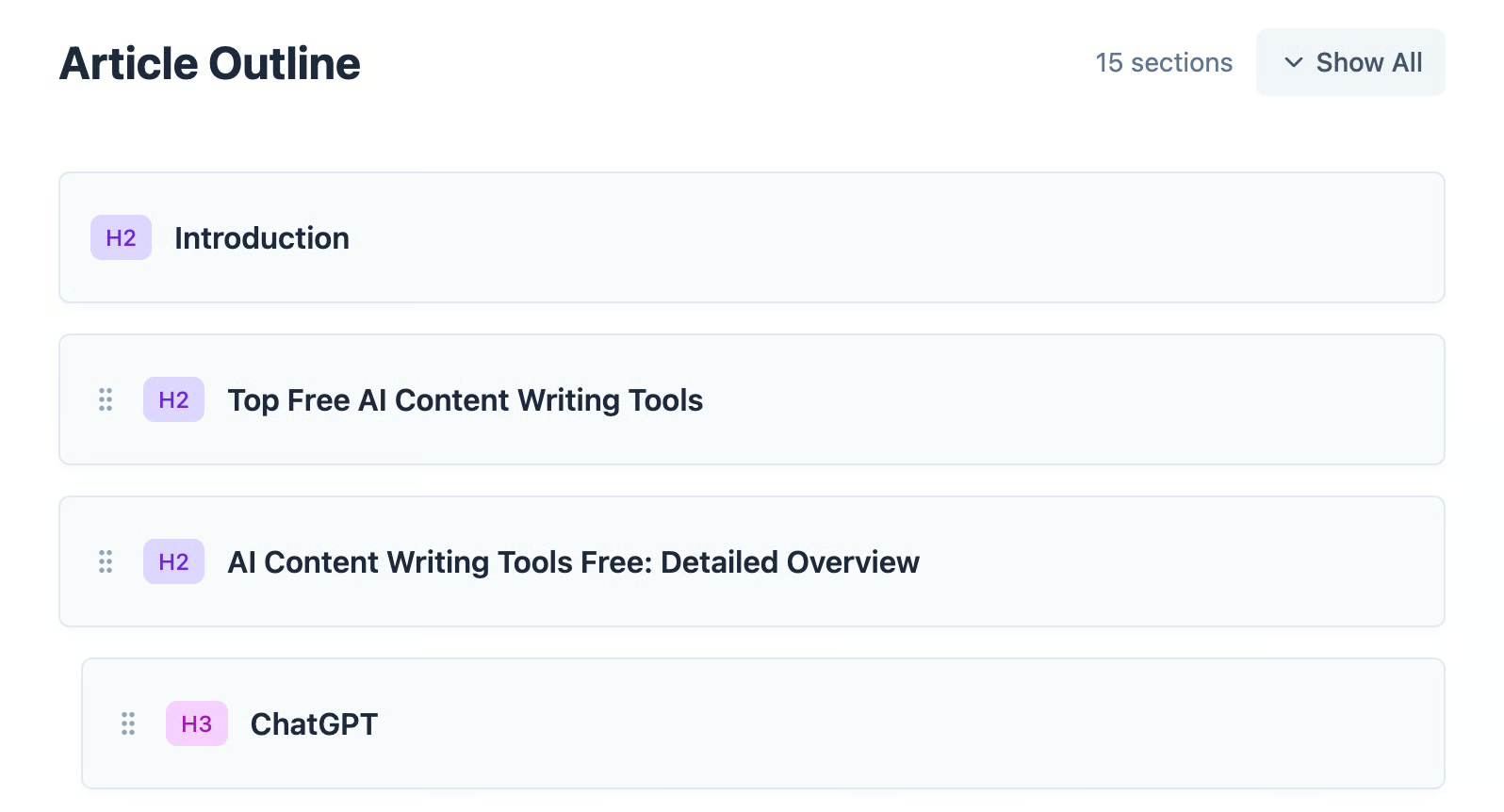
- H2/H3/H4/H5/H6 header styles
- Section titles
- Infographics
- Images
- Tables
- Lists
- FAQ sections
- Internal URLs
- Outbound URLs when enabled
By default, we use our most in-depth outline playbook to ensure topic coverage, rich media, and a high percentage of E-E-A-T content. You can rename sections, rearrange the structure, or remove sections before writing starts.
Step 3: Writing article
Once research and outlining are done, we use multiple AI models to craft the article.
- Converting outline to content using vector database context.
- Writing detailed article sections with depth and nuance.
- Generating custom branded infographics and relevant images.
- Humanizing content with advanced AI models to improve tone and readability.
- Running quality checks using advanced reasoning and automatically fixing failing checks.
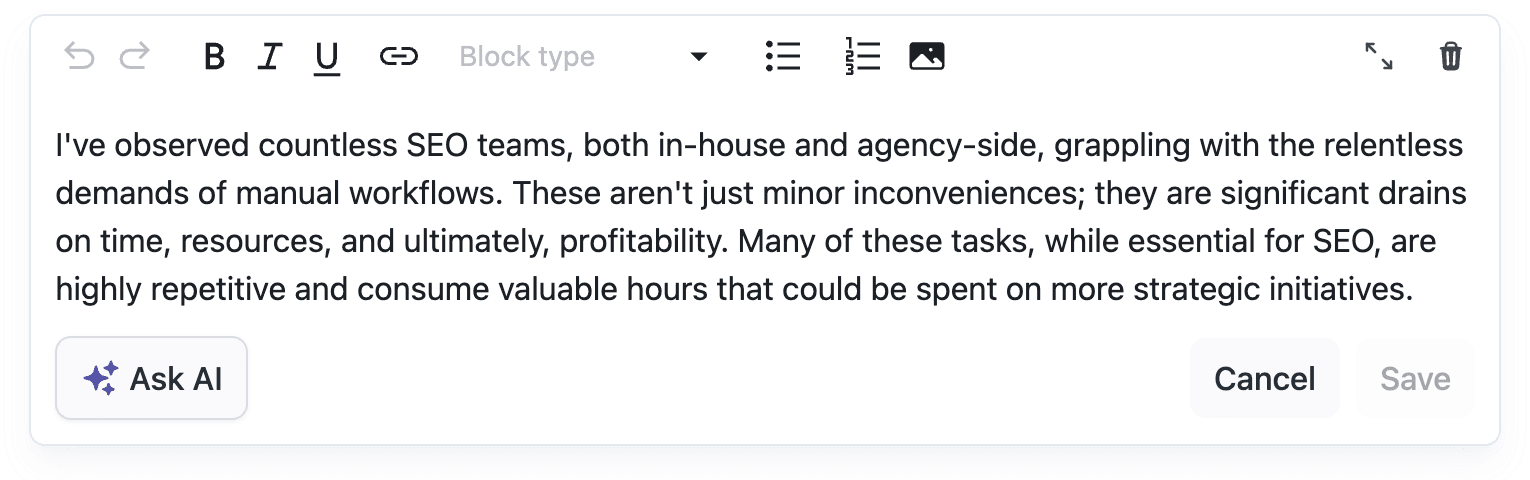
Checks and article reviews
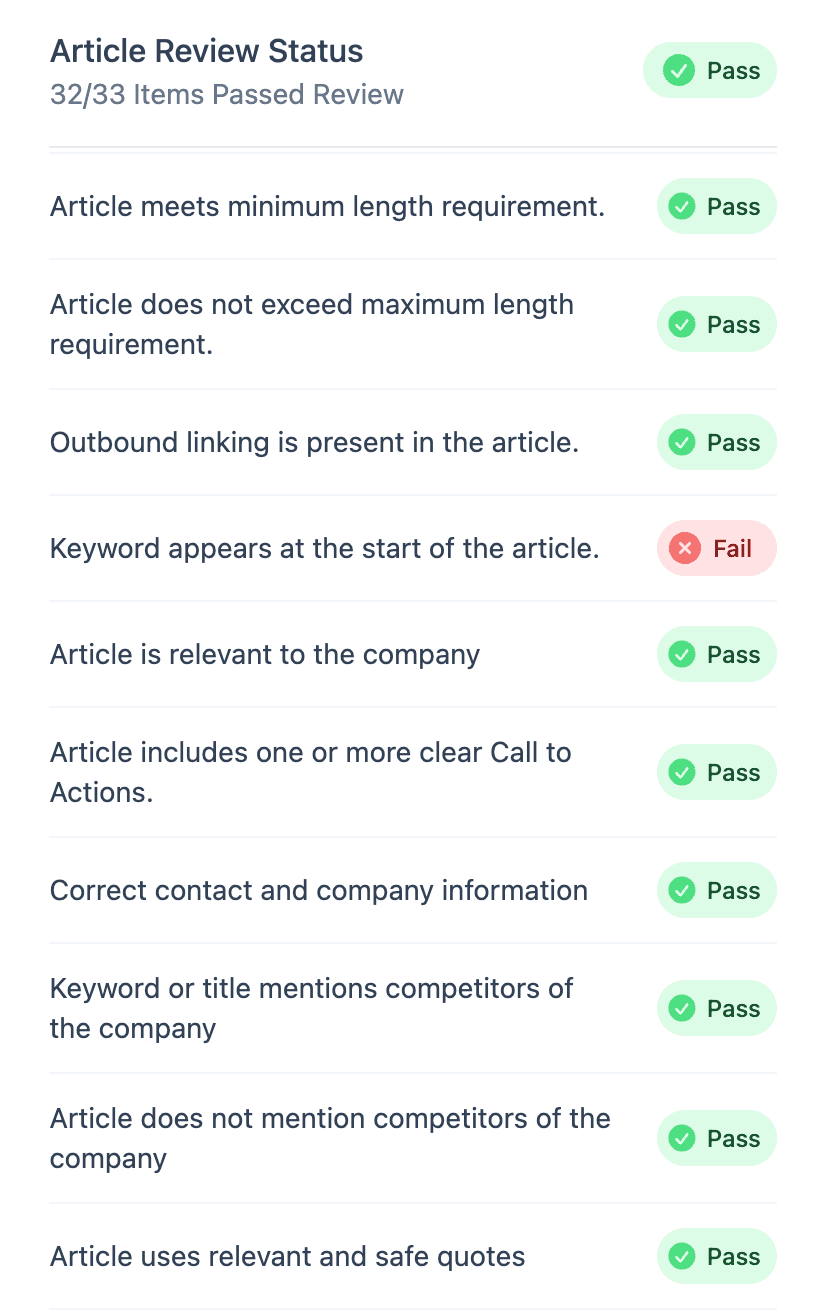
Once an article has been written, the writer automatically reviews it using 20+ quality checks. Each website has its own checklist, and you can add custom checks. If a check fails, we rewrite the article automatically.
Custom article checks come from the website-level AI Feedback settings. The Custom Instruction for website is saved on the website's database record and is used for all future articles.
When article checks run, Adaptify loads those instructions and adds them to the article review checklist. In the article checks modal, the custom check appears as Article is compliant with AI feedback and custom instruction and is marked with a Custom Check badge.
Instructions guide future writing
Use a website-level custom instruction when future article wording should avoid a term. Use keyword-strategy feedback as well when future topics and target keywords should avoid that term. These are AI instructions, not a guaranteed hard negative-keyword filter, and they do not rewrite existing articles unless those articles are rewritten with the updated settings.
Content potential
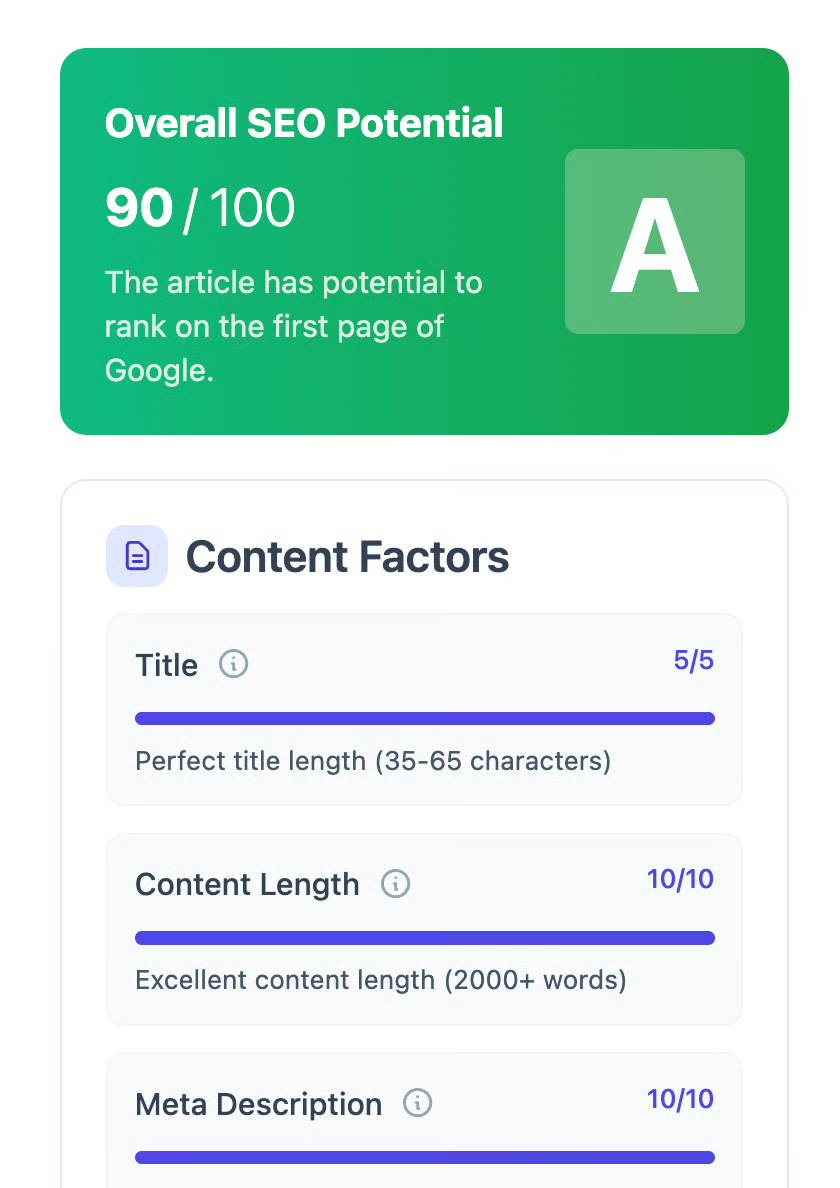
Content Potential scores how well the generated article is set up to perform. For SEO articles, it reviews signals like title quality, content length, meta description, headings, rich media, links, E-E-A-T, readability, and technical SEO factors.
For GEO or AI visibility articles, the potential view focuses on whether the article is likely to be useful to AI assistants. It looks at direct answer quality, brand positioning, structured content, conversational tone, factual density, citation quality, and depth.
Use the potential score as a guide for improvement, not as the only definition of quality. A lower score usually means the article can benefit from extra structure, stronger metadata, richer supporting content, or better evidence.
Metadata
Metadata controls how the article appears in search results and how it is prepared for publishing. Adaptify generates the core metadata automatically, but you can review and edit it before publishing.
- Meta description: the short search snippet for the article. It is generated automatically when meta descriptions are enabled, and can be edited from the article page.
- URL slug: the final path for the article URL. It is generated from the keyword or title logic, shown in a monospace-style field, and can be edited before publishing.
- WordPress category: selected from the categories available on the connected WordPress site.
- WordPress tags: selected from the available WordPress tags so the post is organized correctly after publishing.
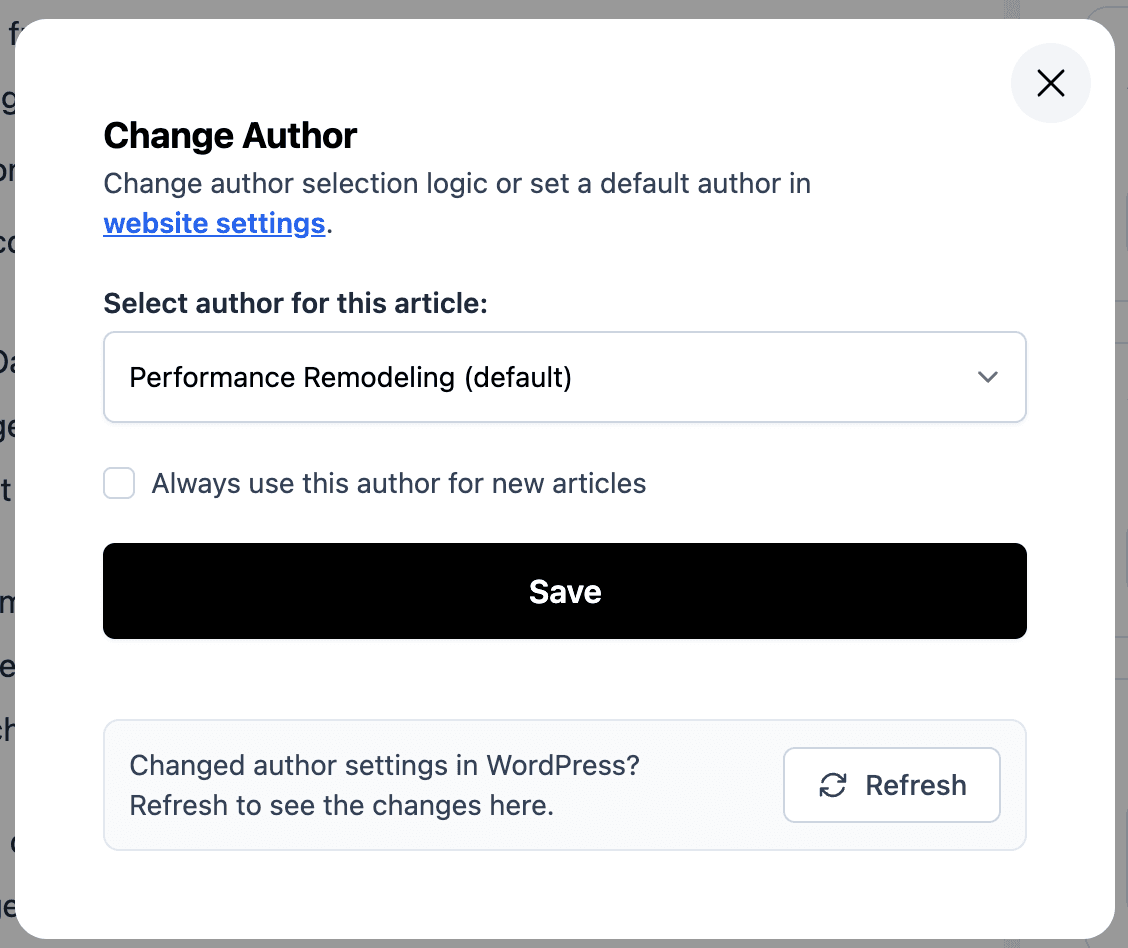
- WordPress author: selected from the authors available in WordPress, so the article publishes under the correct byline.
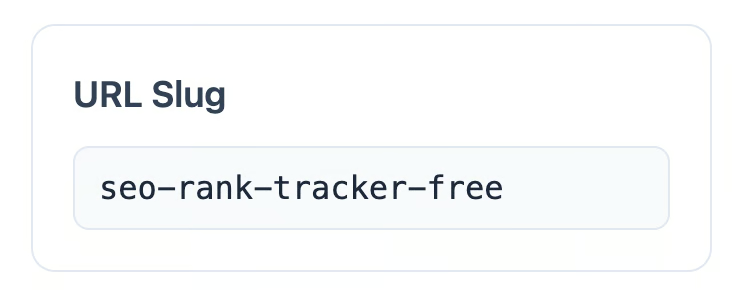
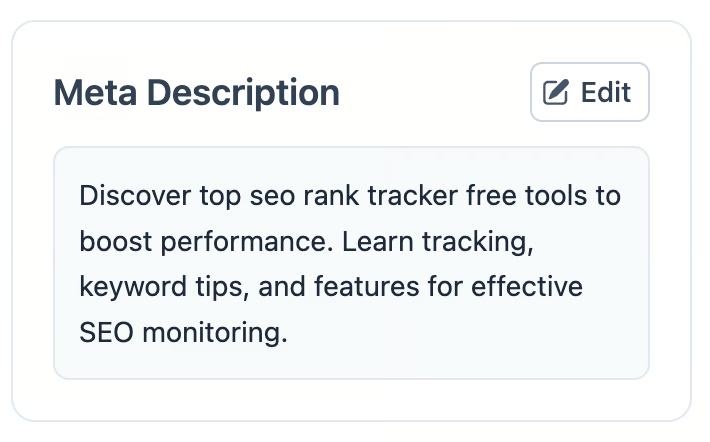
For WordPress sites, Adaptify fetches the available categories, tags, and authors from WordPress. Before an article is published, these fields are editable. After publishing, the article page prefers the actual metadata fetched from WordPress and treats the published metadata as read-only.
If Adaptify cannot fetch all WordPress metadata while writing the article, the article page shows a refresh action. For published articles, you can also refresh metadata from WordPress to pull the latest category, tag, and author values back into Adaptify.
Scheduling
Scheduling controls when an article should publish. On the article page, the Publish Date card opens a calendar where you can choose a future publication date or unschedule the article.
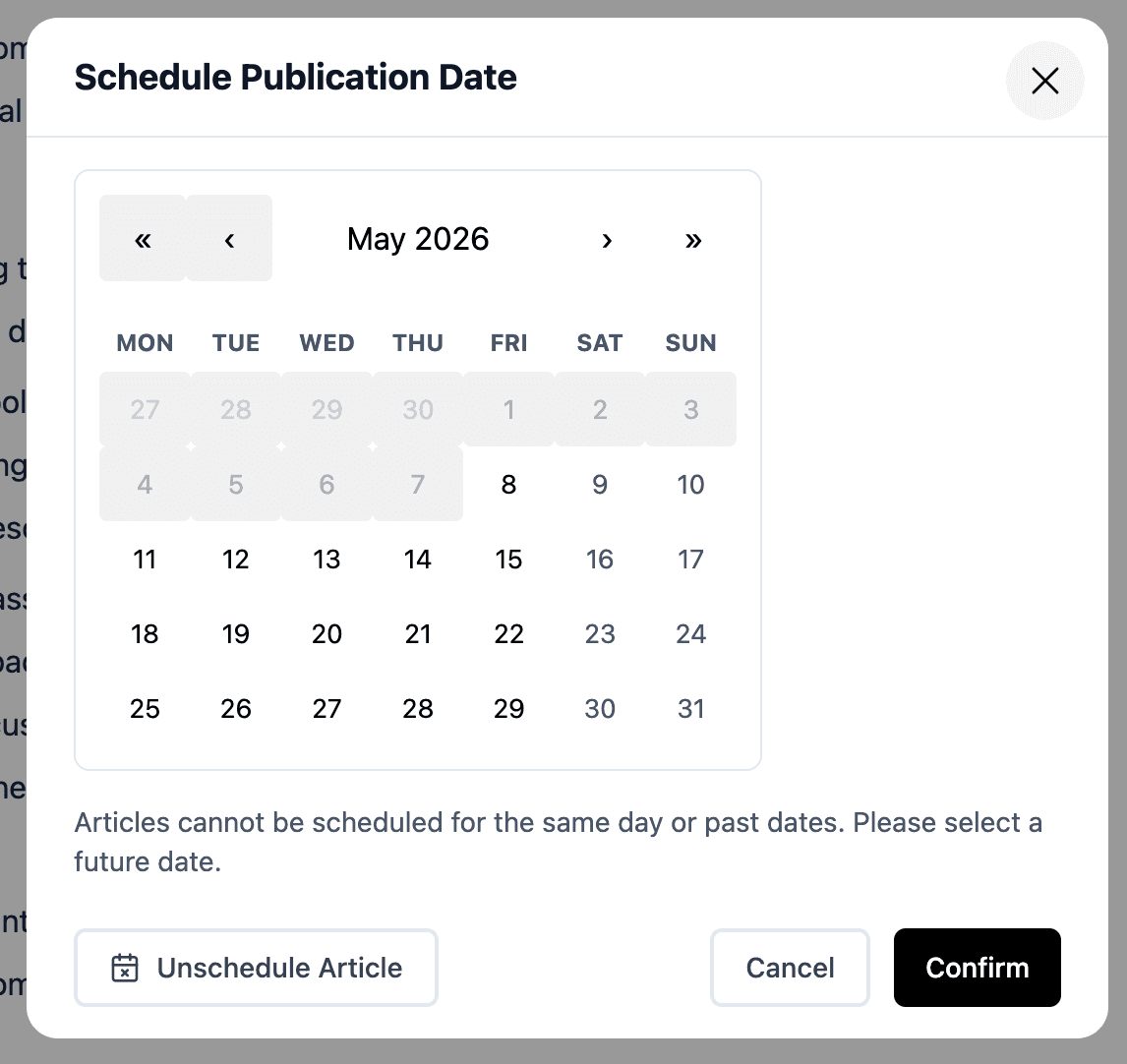
- Scheduling an article pins it to the selected date so the automated calendar does not move it during normal planning.
- Dates must be in the future; articles cannot be scheduled for today or for past dates.
- Unscheduling clears the planned date and marks the article as manually unscheduled, so it will not be automatically rescheduled until someone schedules it again or manually publishes it.
- Published articles show the actual published date instead of an editable schedule date.
Images, Links and Publishing
Each article can include high-quality images, AI-generated images, stock images, custom infographics, internal links, outbound links, FAQ content, schema markup, and one-click publishing support.
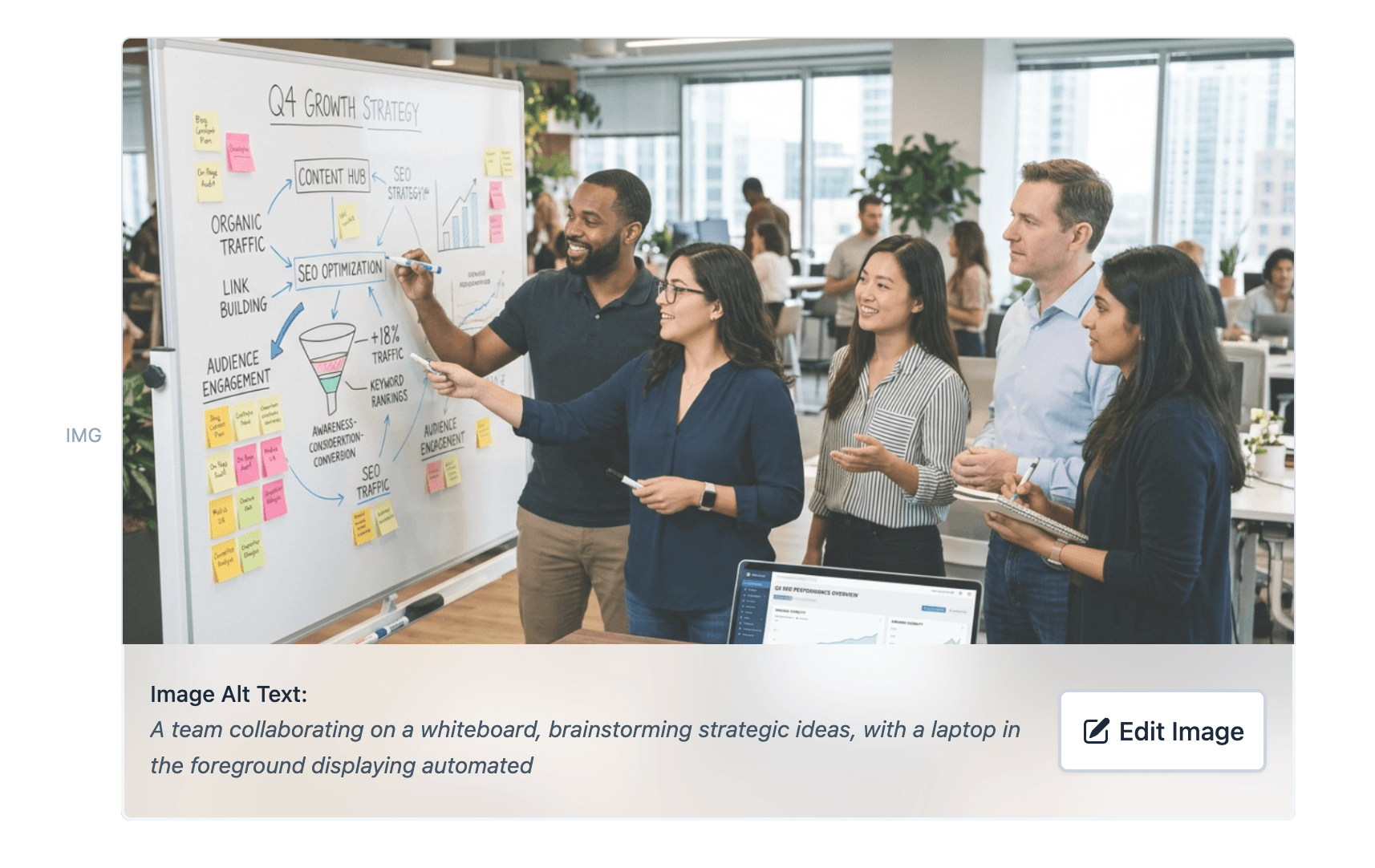
- Images can be edited with AI prompts, replaced with a specific image picked from the Image Library, or uploaded directly while editing an article.
- Internal links are selected from known URLs on the website.
- Outbound links can be controlled with granular settings.
- One-click publishing sends the completed article to the configured website.
Improve an article with Adaptify
Open the article and use Ask Adaptify in the AI sidebar when you want to change the angle, add missing information, adjust sources, make the article shorter, or rewrite it with updated website settings.
Describe the change you want in your own words. You can also ask Adaptify to use one of these article workflows:
- Refresh article: updates the article for the current month by running fresh research, refreshing the content with current information, and updating the title to show it has been refreshed.
- Make article more concise: rewrites the article with shorter, more direct content to reduce the word count while keeping the core topic intact.
- Rewrite article: rewrites the article using the latest website settings, which is useful after changing writer settings, compliance rules, content instructions, image settings, or other site-level configuration.
Adaptify will ask for any missing details, carry out the selected workflow, and show the result in the conversation.
You can also revisit older articles and refresh them later. Refreshing runs a new SERP search, updates the article with newer information, and can improve the ranking boost from keeping content current.
Website details and brand assets
Website Details are site-level settings. Adaptify usually detects the company name, icon, logo, and brand color automatically from the website, so most sites do not need manual edits. These settings are separate from account-level white-label settings.
- Company Name: used when Adaptify refers to the business in articles and generated assets.
- Company Icon: strongly recommended and almost always needed. This small square mark is used in compact UI, navigation, the white-label portal, and as a watermark for some article images.
- Full-size Company Logo: optional, but useful when available. This is the main site-level logo for higher-quality generated visuals such as infographics and AI-generated images. It can be wide, tall, or any other aspect ratio.
- Brand Color: used by generated content and visuals so assets feel closer to the site's brand.
- Website Labels: internal organization labels for grouping and finding sites in the dashboard.
Icon vs full logo
The icon is the important one because small product surfaces need a square image. The full-size logo is optional and mainly improves larger branded visuals, especially when the brand has a horizontal wordmark. Adaptify normally pre-fills both when it can find them.
Writing Style
Writing Style settings control how the article writer presents content across the site. They affect the voice, attribution, links, CTAs, images, article length, formatting, metadata, and publishing details used when Adaptify writes articles.
These settings are applied to new articles automatically. If you changed settings and want an existing article to use them, open the article and ask Adaptify in the AI sidebar to rewrite it using the latest settings.
Author Options
Author Options control how authorship is shown and how the writer should use author information in the article.
- Author Name and Title: sets the author attribution that can appear in articles and helps strengthen author credibility signals.
- Point of View: choose first person for content written from the author's perspective, or third person when the article should describe the author or company externally.
- Mention Author in Articles: decide whether the article should reference the author inside the content. This is recommended for SEO when author expertise matters.
- Default WordPress Author: choose a specific WordPress author for published posts, or let AI decide based on the article topic. On sites with more than one author profile, the cluster author is used instead when they have a matching WordPress user. WordPress authors can be refreshed from the integration.
- Author Instruction: add custom guidance for author selection, such as always using a specific author name or matching authors to topics. On sites with more than one author profile, Adaptify uses this guidance when it picks each cluster's author.
Links and CTAs
- Target pages for internal links: add specific pages you want Adaptify to link to more often. By default, Adaptify can use the homepage, cluster URL, previous articles, and relevant pages found on the site.
- External links: enabled by default because linking to relevant external sources can support SEO and trust. Disable this only if you do not want articles to link to other websites.
- CTA quantity: let the AI decide, place CTAs only in the conclusion, or make CTAs more prominent throughout the article.
- Pricing mentions: use auto-detected pricing when relevant, provide exact pricing details, or prevent articles from mentioning pricing.
Image Settings
Image Settings control which visual assets the writer can use and how many images should appear in articles. The default setup is intentionally broad: it gives the writer multiple image sources so it can choose the most relevant option for each section instead of forcing every article into one image style.
- Custom Uploaded Images: upload product, team, brand, or website images. The writer prioritizes these over other image types because they are the most specific to the business.
- Image Library: review uploaded and detected site images, inspect image labels, edit image descriptions, delete images, and upload more images. The library also opens as a picker inside the article editor, so you can select the exact image to insert or use as a replacement.
- Image reuse: use each uploaded image once when you want variety, or allow reuse across articles when the image library is limited. Reused images receive unique metadata each time.
- Custom Infographics: automatically create branded infographics where useful. These can include the company logo, company name, and URL.
- Stock Images: supplement the image library with relevant stock images. This is useful when the site does not have enough custom visuals for every article.
- AI Images: generate copyright-free images to increase variety and engagement when uploaded or stock images are not the best fit.
- Image Quantity: let the AI writer decide, use a smaller image set, or allow up to five images per article. The default is good because the writer can adapt image count to the article instead of overfilling short articles or under-supporting longer ones.
- Logo in Images: choose whether branded images should include the logo, company name, and URL.
- Infographics Accuracy Setting: prioritize visual variety by default, or prioritize accuracy when consistent, safer infographics matter more than variety.
- Custom Image Instructions: add advanced instructions for visual style, image generation, or image selection, such as avoiding people, using specific colors, or preferring abstract visuals.
For most sites, the best default is to keep custom images, infographics, stock images, and AI images available. Adaptify will still prioritize the most relevant source, but having more image types enabled helps avoid repetitive articles and gives the writer more options for SEO-friendly visuals.
Article Length
- Smart Length Optimization: recommended default. Adaptify adjusts article length to the topic, competition, and search intent.
- Set my own length: choose a consistent length strategy across articles.
- SEO optimized long form: creates longer articles for maximum search visibility.
- Prefer shorter articles: creates more concise articles that are quicker to read.
Advanced Writer Settings
- Formatting Rules: use SEO optimized formatting by default, or add custom rules for lists, tables, bolding, quote blocks, and other formatting elements.
- Paragraph Style: use SEO optimized paragraph style by default, or add custom instructions for vocabulary level, sentence length, paragraph length, and directness.
- URL Slug Style: use keyword-optimized slugs by default, or use the full article title as the slug when uniqueness matters more.
- Content Category Instruction: give WordPress category guidance so articles can be assigned to the right category.
- Meta Descriptions and Meta Titles: enable or disable automatically generated SEO metadata.
- Schema Data: for WordPress sites, generate structured data to improve SEO when the publishing integration supports it.